

What you can get from Global Transfers


Manage your Global Transfers among HSBC accounts
How it works?
More than 20 supported currencies for transfers to over 15 countries/regions.
For more details, please refer to our Global Transfers guide (PDF).
Experience it now at HSBC HK App
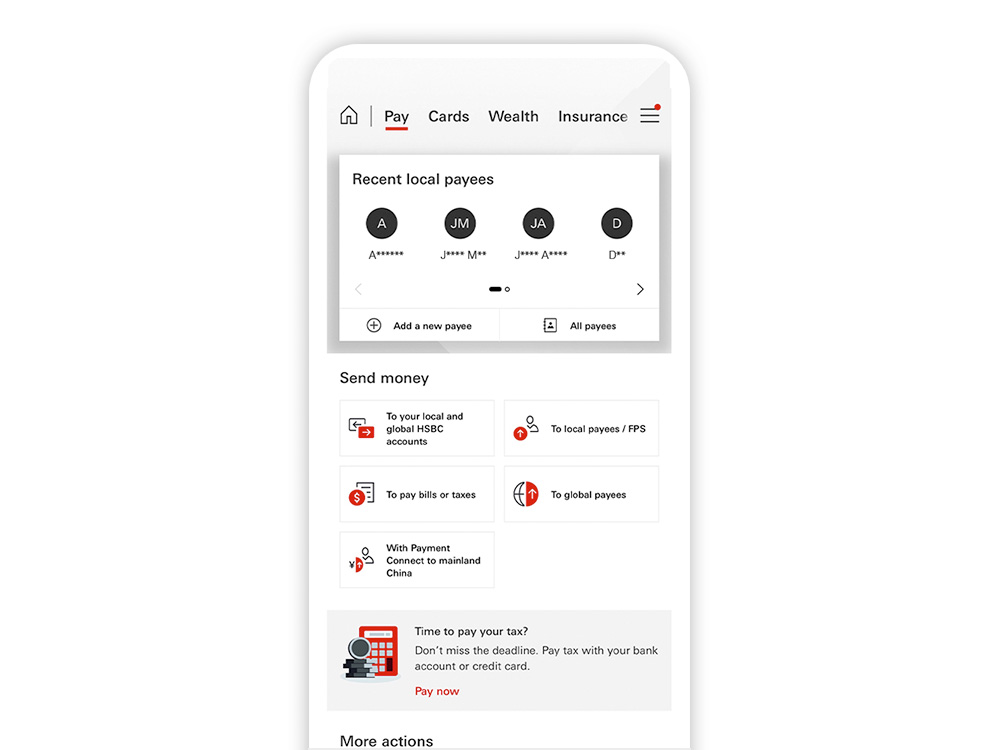
Transfer to your own HSBC accounts globally:
Step 1: Go to "Pay" and select "To your local and global HSBC accounts"
Step 2: Select the "From" account
Step 3: Follow the on-screen instructions to complete the transfer
Transfer to third-party HSBC accounts globally:
Step 1: Go to "Pay" and select "To global payees"
Step 2: Select your designated country/region (e.g.: Australia) and payee account type
Step 3: Select 'To HSBC accounts' and follow the on-screen instructions to complete the transfer
Scan the QR code to download the app

Frequently asked questions
You may also be interested in
Whether you are buying or selling you can work out how much you will get for telegraphic transfers or banknotes.
HSBC Premier or HSBC One customers can set their own target rate and automatically make transactions when the rate is hit.
Send money to non-HSBC accounts in over 50 countries/regions in their local currencies with a faster and fee-free experience.
Notes
The screen displays are for reference and illustration purposes only.